
Connecting Toast and Alice for hours

To give Alice access to shifts and hours worked in Toast, add Alice Financial as an employee with an HR, Admin, or Bookkeeper job.
The phone number and email address below are for setting up Alice's access in Toast only. They are not for contacting Alice for support.
Add Alice as an employee in Toast
-
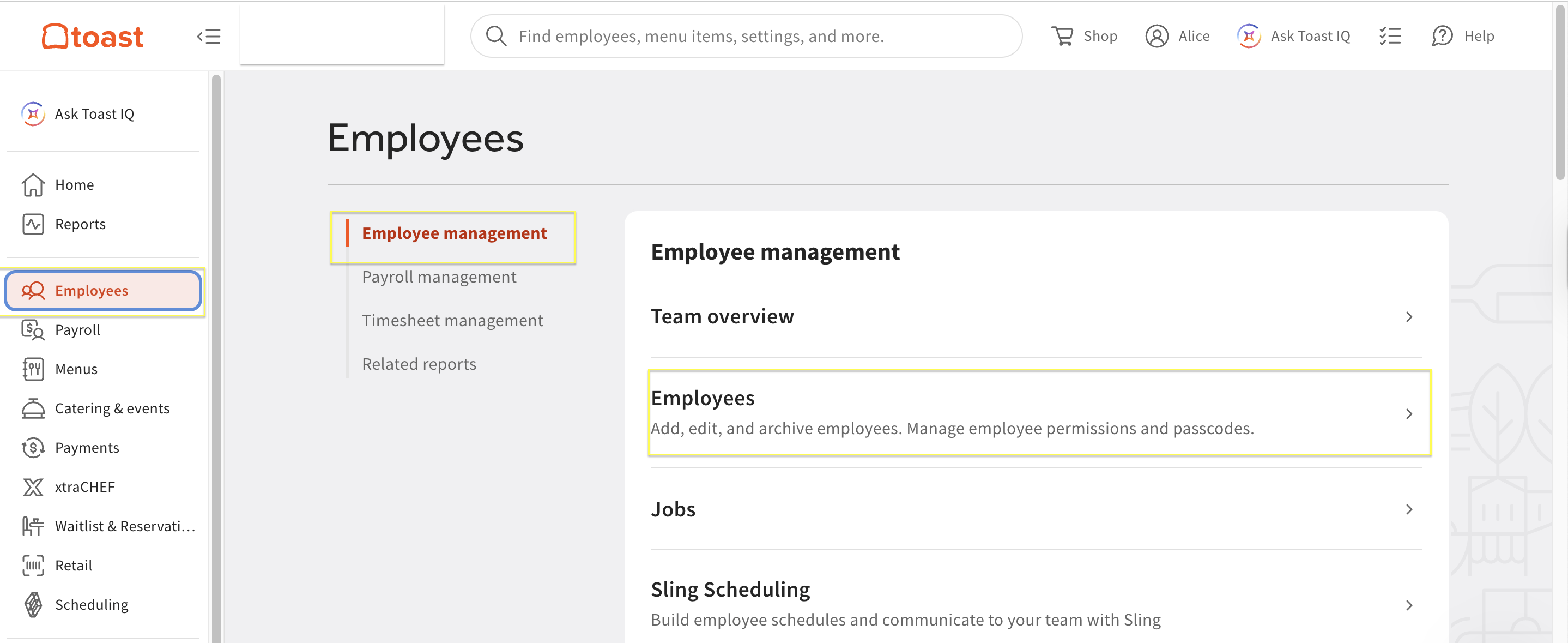
Log in to Toast and go to Employees > Employee Management > Employees.
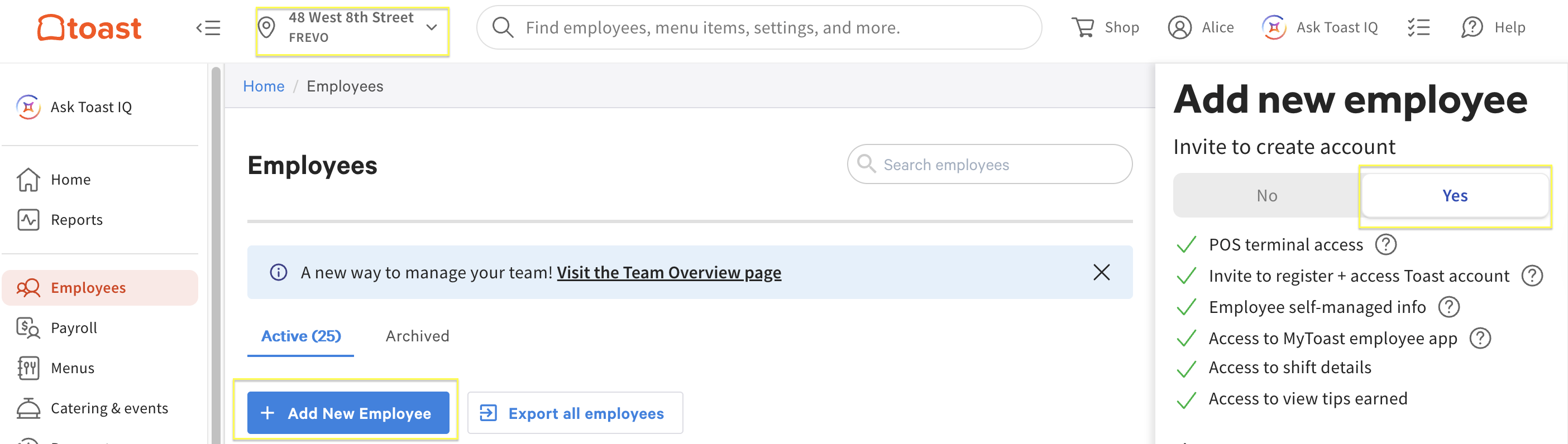
- Select + Add New Employee.
-
Set Invite to create account to Yes.
- Enter the following information:
- First Name: Alice
- Last Name: Financial
- Mobile phone: 917-336-9115
- Email address: alice@thisisalice.com
- Job: Select HR, Admin, or Bookkeeper (depending on your Toast setup)
- Pay: Leave as $0.00
- Employee ID: Leave blank
- Select Add in the bottom right corner.
Email payroll@thisisalice.com once this is complete.
Need help?
Email admin-support@thisisalice.com or call (929) 552-4625.
Trademarks, brands, and product names referenced in this article are the property of their respective owners. References are for descriptive purposes only and do not imply endorsement. For definitive information about a third party's products or services, contact that party directly.